
Mobile App
Complete online check-in procedures on Sun PhuQuoc Airways
Enter your booking reference (PNR) and passenger’s last name to look up flight information or complete online check-in and follow the standard check-in steps as usual.
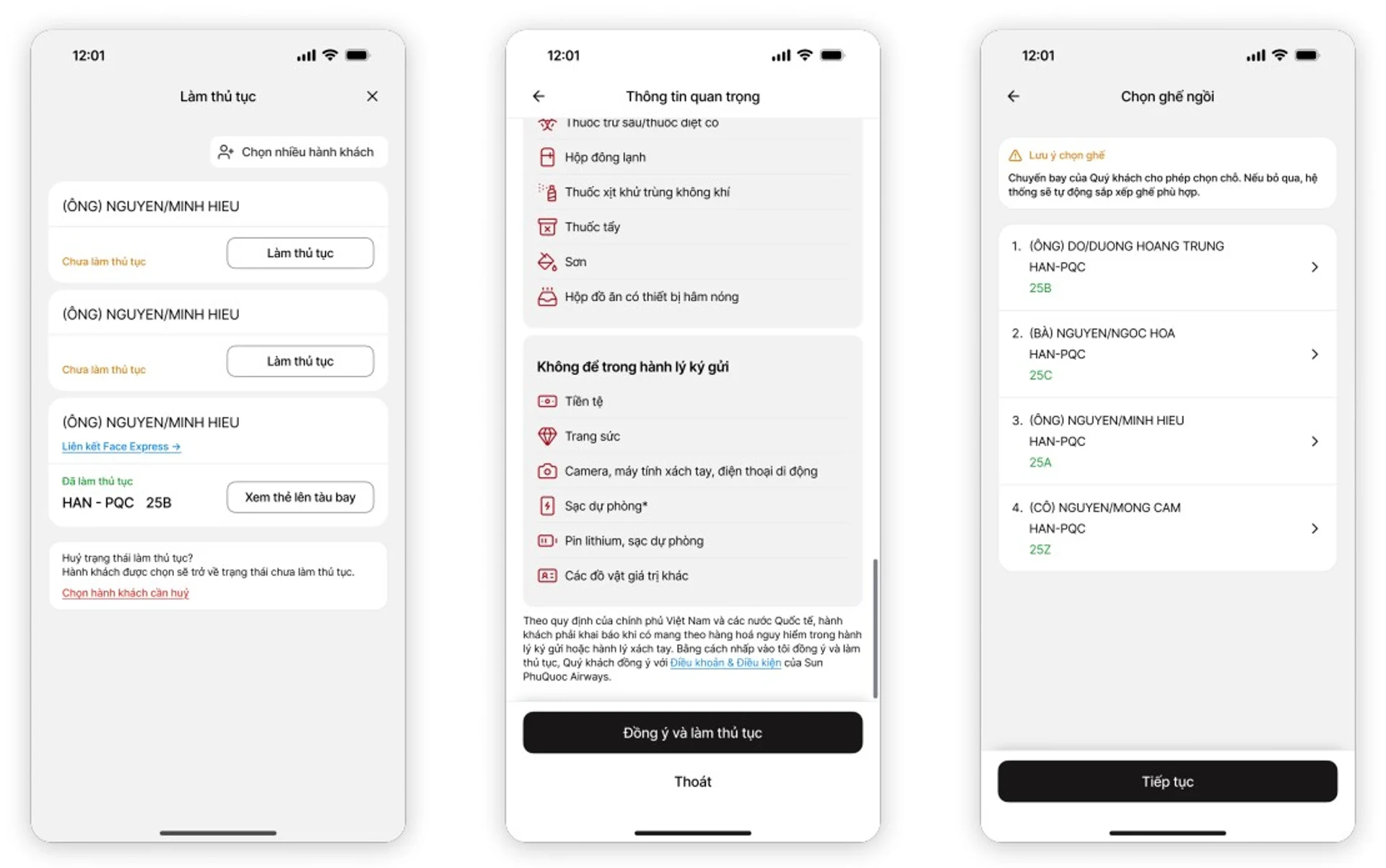
Passengers follow the online check-in steps on the Sun PhuQuoc Airways application
Biometric linking
After completing the check-in process, select the biometric linking feature.
Enter your Citizen ID number and agree to share data on the Sun PhuQuoc Airways application. The system will automatically redirect to VNeID.
Scan and verify your face following the instructions. Wait for the system to authenticate and transmit the information to the airport.
Once successful, the boarding pass will display an indicator showing that biometric linking has been completed.
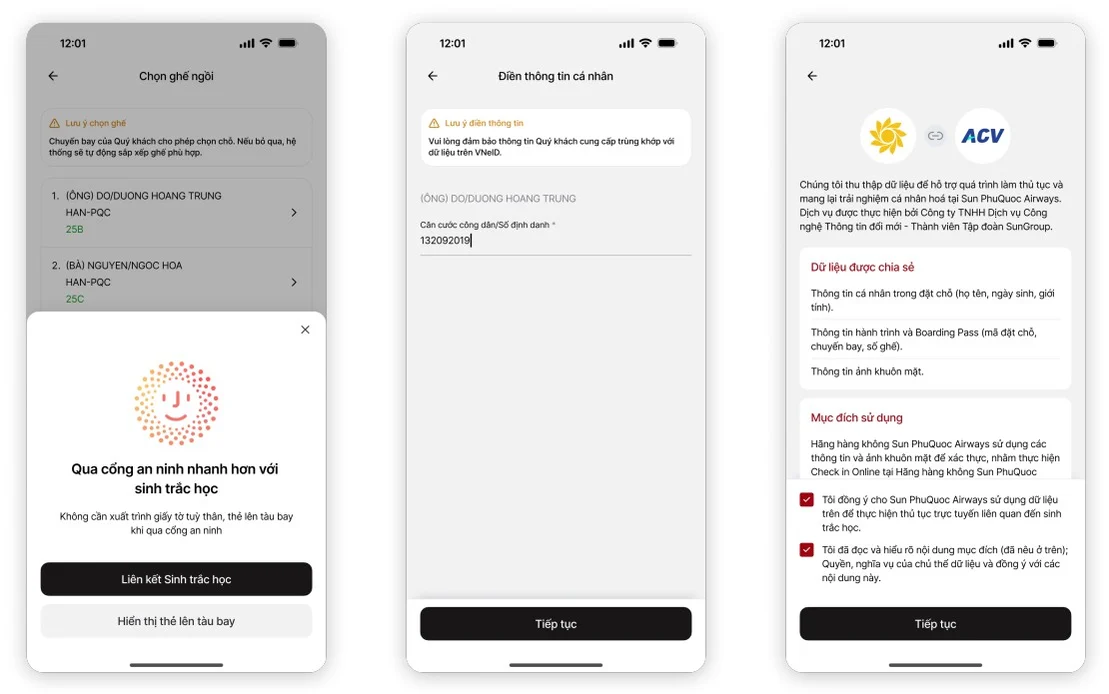
Select “Biometric Linking”, enter personal information, and consent to share it with the airport
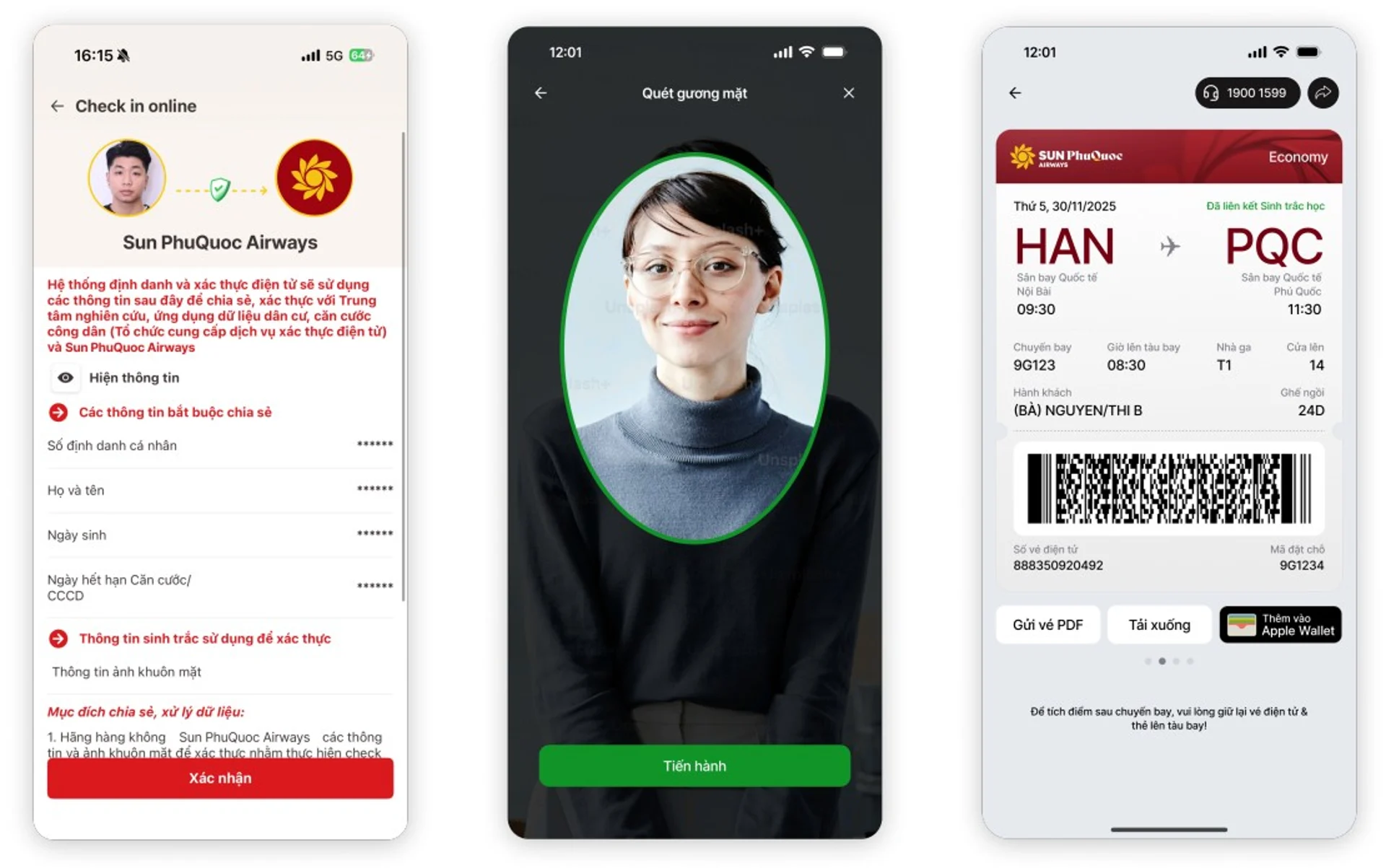
Consent to share information with Sun PhuQuoc Airways, perform facial scanning, and the boarding pass will be marked “Biometric linked” once the process is completed.
Pass through security checkpoints and board the aircraft using facial recognition: Passengers scan their face at security checkpoints and boarding gates to board the aircraft.
Customer Service Center
 Sun PhuQuoc Airways call center: 1900 1599
 Sun Signature call center:1900 1969
 Email:19001599@sunphuquocairways.com
 Working Time:
24/7
 Headquarter:No. 69B Thuy Khue, Tay Ho Ward, Hanoi City

Contact Us
Do not hesitate to contact us if you have any questions that need to be resolved.
Contact nowRefer to the FAQ section to quickly find answers to problems.
Read FAQWas this information helpful to you?